Account Closure and Personal Data Requests
Steps to Close Your Account in the App
- Open the app on your device.
- Log in to your account.
- Click on the Navigation Icon (first screenshot)
- Find the Delete Account (second screenshot) option and click on it.
- Confirm the deletion by following the prompts.
- Once confirmed, your account is marked as closed. This does not automatically erase all personal information.
The current Delete Account control closes your account but does not permanently erase all profile information, uploads or related records. To request erasure of personal information, contact the support email below. Order and payment records may need to be retained for fulfillment, disputes or legal obligations.
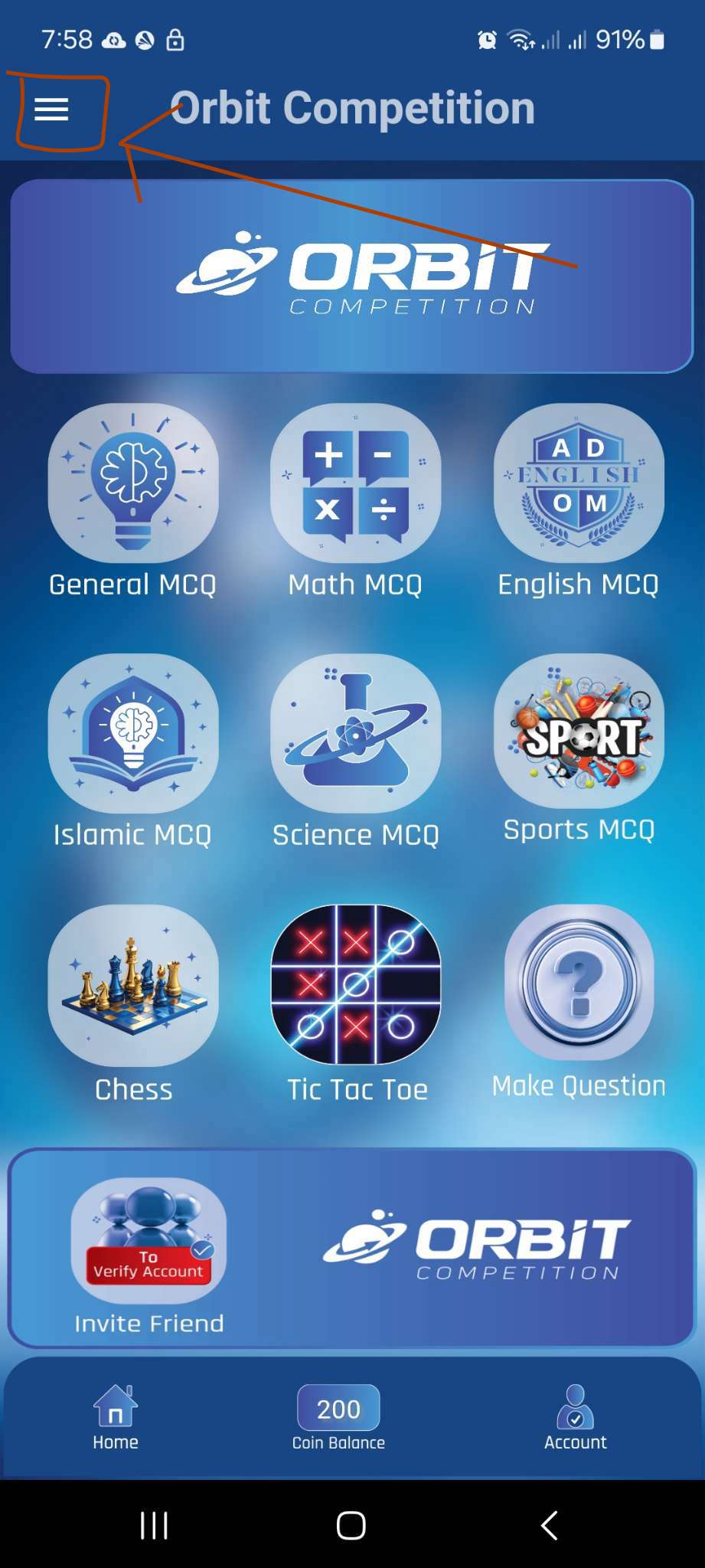
Step 1: Navigation Icon
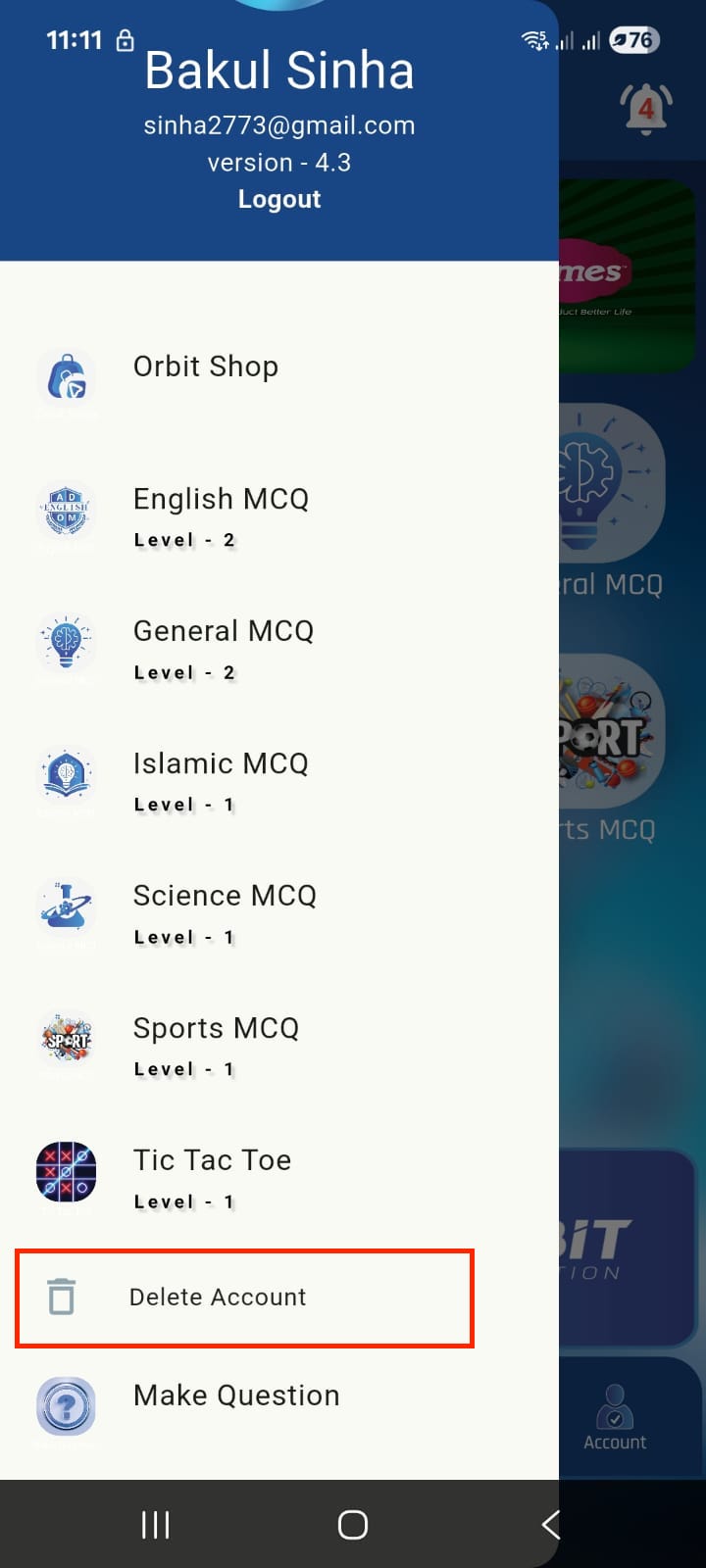
Step 2: Delete Account Option
If you encounter any issues or have questions, please contact us at timesshop.xyz1@gmail.com